# Utilizando ajuda sensível ao contexto

<div id="bkmrk-"></div><span style="color: rgb(0, 0, 0);"><iframe allowfullscreen="allowfullscreen" height="314" src="https://www.youtube.com/embed/4jICqYoDwZc" width="560"></iframe>

</span>

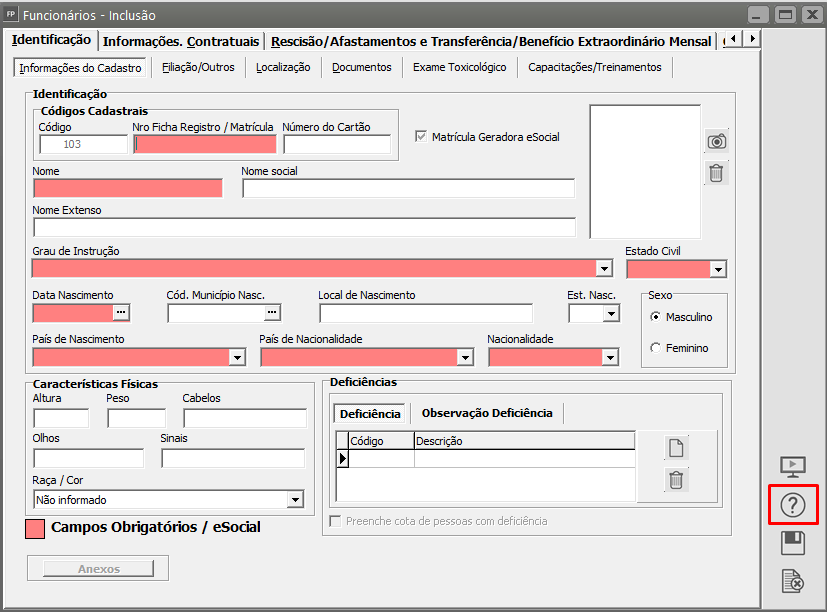
<span style="color: rgb(0, 0, 0);">Existe nos sistemas uma forma para se ter acesso ao passo a passo referente a este menu rapidamente, sem a necessidade de sair da tela onde está, através do ícone chamado **Ajuda:**</span>

**[![image-1682336545685.png](https://autoatendimento.grupoallegus.com.br/uploads/images/gallery/2023-04/scaled-1680-/image-1682336545685.png)](https://autoatendimento.grupoallegus.com.br/uploads/images/gallery/2023-04/image-1682336545685.png)**

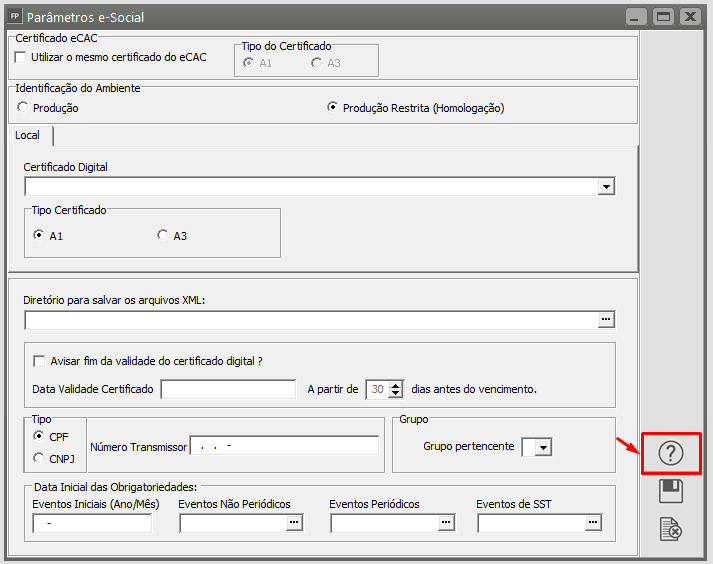
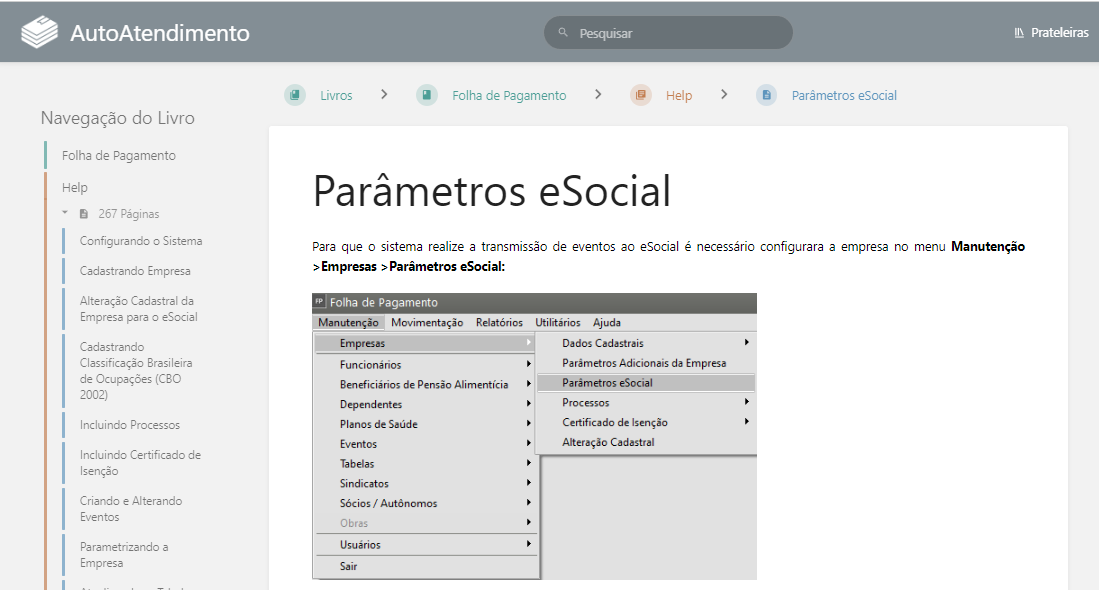
<span style="color: rgb(0, 0, 0);">Basta clicar no botão [![image-1682336464968.png](https://autoatendimento.grupoallegus.com.br/uploads/images/gallery/2023-04/scaled-1680-/image-1682336464968.png) ](https://autoatendimento.grupoallegus.com.br/uploads/images/gallery/2023-04/image-1682336464968.png)ou teclar F1 para acionar a tela de ajuda com o Help correspondente. Por exemplo, Parâmetros eSocial:</span>

[![image.png](https://autoatendimento.grupoallegus.com.br/uploads/images/gallery/2024-06/scaled-1680-/oXkimage.png)](https://autoatendimento.grupoallegus.com.br/uploads/images/gallery/2024-06/oXkimage.png)

[![image.png](https://autoatendimento.grupoallegus.com.br/uploads/images/gallery/2024-06/scaled-1680-/0ytimage.png)](https://autoatendimento.grupoallegus.com.br/uploads/images/gallery/2024-06/0ytimage.png)
<div id="bkmrk--6"><svg class="svg-icon" data-icon="edit" role="presentation" viewbox="0 0 24 24" xmlns="http://www.w3.org/2000/svg"></svg>  
</div>