# Cadastrando Indexadores
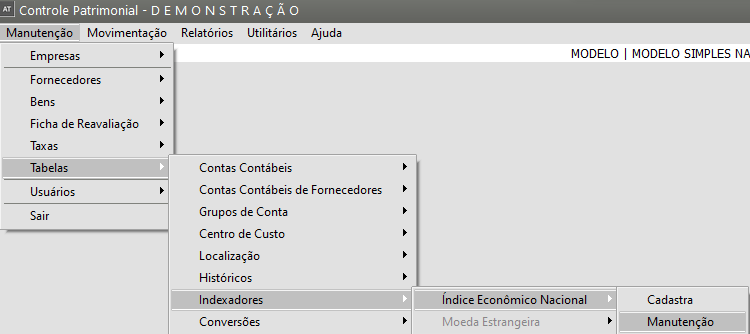
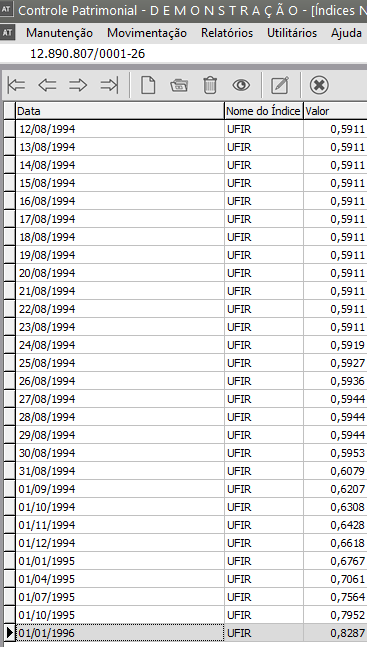
O Sistema vem com o [Cadastro do Índice Nacional](https://autoatendimento.grupoallegus.com.br/books/ativo/page/movimentacao-para-o-indice-nacional) preenchido com os indexadores oficiais do período 01/01/1965 até 01/01/1996 que podem ser consultados ou alterados através da opção **Manutenção/Tabelas/Indexadores/Índice Nacional/Manutenção.**
[](https://autoatendimento.grupoallegus.com.br/uploads/images/gallery/2023-08/iV4image.png)
[](https://autoatendimento.grupoallegus.com.br/uploads/images/gallery/2023-08/Xwqimage.png)
Para [calcular a depreciação](https://autoatendimento.grupoallegus.com.br/books/ativo/page/calculando-a-depreciacao-e-a-correcao-monetaria) de acordo com a legislação do imposto de renda os índices cadastrados previamente são suficientes. Se precisar cadastrar novos indexadores basta utilizar o botão "novo" existente na tela indicada.
[](https://autoatendimento.grupoallegus.com.br/uploads/images/gallery/2023-08/v0Mimage.png)
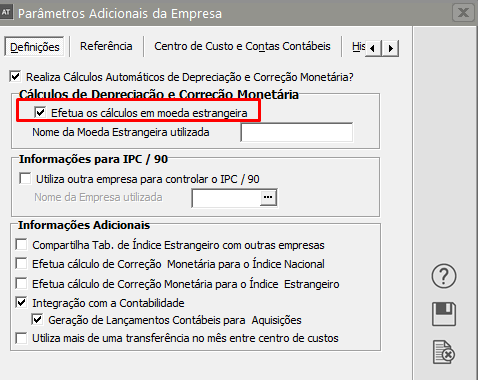
Quanto à [moeda estrangeira](https://autoatendimento.grupoallegus.com.br/books/ativo/page/movimentacao-para-o-indice-estrangeiro), só estará habilitada se nos [Parâmetros Adicionais da Empresa,](https://autoatendimento.grupoallegus.com.br/books/ativo/page/movimentacao-para-o-indice-estrangeiro) você definiu que irá Utilizar Moeda Estrangeira
[](https://autoatendimento.grupoallegus.com.br/uploads/images/gallery/2023-08/orkimage.png)
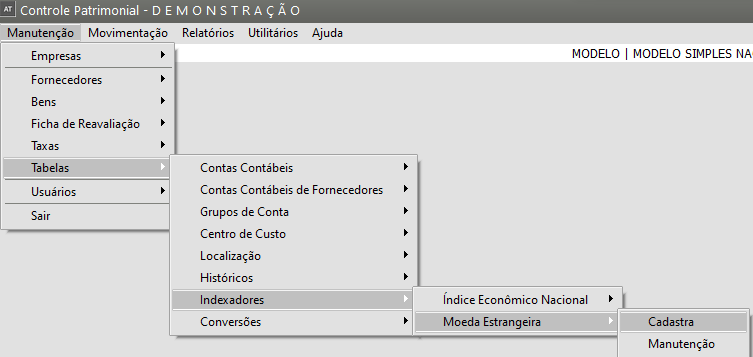
deve ser cadastrada através da opção **Manutenção/Tabelas/Indexadores/Moeda Estrangeira/Cadastra.**
[](https://autoatendimento.grupoallegus.com.br/uploads/images/gallery/2023-08/Zsmimage.png)
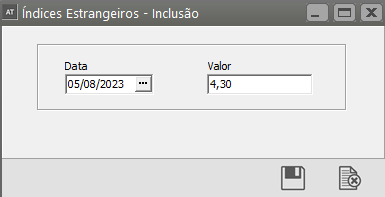
Basta informar a data e o valor da cotação e clicar no botão "Grava".
[](https://autoatendimento.grupoallegus.com.br/uploads/images/gallery/2023-08/7NFimage.png)
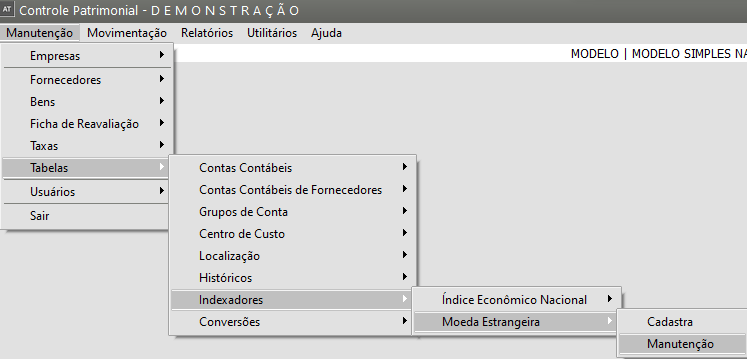
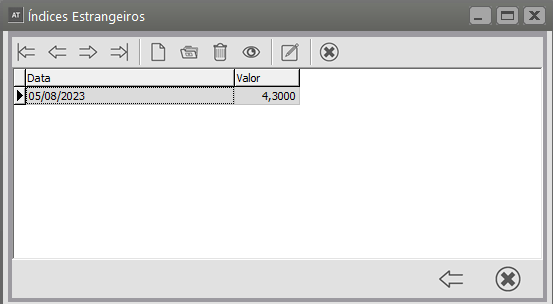
Para editar as cotações utilize a opção **Manutenção/Tabelas/Indexadores/Moeda Estrangeira/Manutenção da Moeda Estrangeira.**
[](https://autoatendimento.grupoallegus.com.br/uploads/images/gallery/2023-08/6LPimage.png)
[](https://autoatendimento.grupoallegus.com.br/uploads/images/gallery/2023-08/Cztimage.png)
**Veja também o Item:**
- [Cadastrando Indexadores](https://autoatendimento.grupoallegus.com.br/books/ativo/page/cadastrando-indexadores)